Deprecated in AEM — But Not Always Your Problem
In real projects—both AEM On-Premise and AEM as a Cloud Service—deprecated warnings like Logback show up frequently.
Check your AEM SDK version and use the following URL to view the deprecated API list:
https://javadoc.io/doc/com.adobe.aem/aem-sdk-api/<AEM SDK Version>/deprecated-list.htmlReport highlights deprecated APIs:
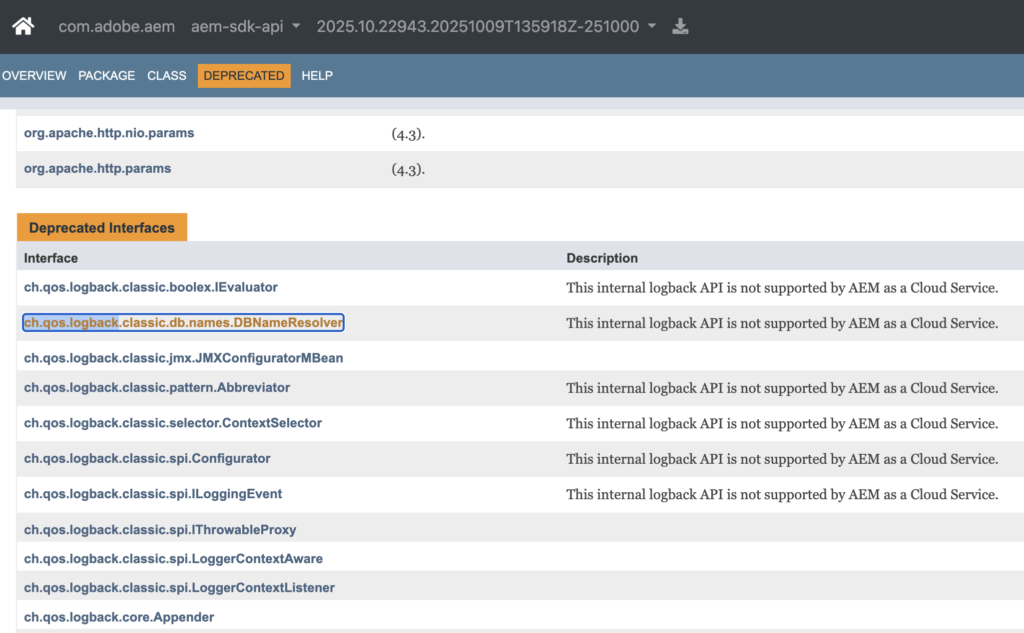
Three things stand out:
ch.qos.logbackis marked as deprecated- It is flagged for removal
- Several APIs are unsupported in AEM as a Cloud Service
From these points, the next step is:
- Replace the library
- Upgrade dependencies
- Fix the issue immediately
Taking immediate action is often wrong. More factors matter.
Is this warning actually coming from your code — or from the platform itself?
Deprecation Warnings Map to Their Source
Not all deprecation warnings originate from application code. In AEM, warnings may come from project dependencies or from the platform itself.
Start by checking your project dependencies. Focus on libraries you explicitly include, such as ACS Commons:
//<site>.all
<dependency>
  <groupId>com.adobe.acs</groupId>
  <artifactId>acs-aem-commons-ui.content</artifactId>
  <version>5.1.2</version>
</dependency>Dependencies defined here are part of your implementation and under your control. You can verify this using Maven:
mvn dependency:tree -Dincludes=com.adobe.acsIf the dependency appears in the result, it is included in your project. For example, ACS Commons appears in the dependency tree:
[INFO] --- dependency:3.0.0:tree (default-cli) @ flagtick.all ---
[INFO] com.flagtick:flagtick.all:content-package:1.1.0-SNAPSHOT
[INFO] +- com.adobe.acs:acs-aem-commons-ui.content:zip:min:5.1.2:compile
[INFO] \- com.adobe.acs:acs-aem-commons-ui.apps:zip:min:5.1.2:compileYou can reproduce and inspect these warnings by running the build and filtering the output:
mvn clean verify | grep -i deprecated
mvn clean verify | grep -i "acs"Analyzer output:
[WARNING] [region-deprecated-api] com.adobe.acs:acs-aem-commons-bundle:5.1.2: Usage of deprecated package found : org.apache.sling.commons.json : Usage of this deprecated API is not supported in AEM as a Cloud Service. Deprecated since 2022-12-31 For removal : 2027-12-31 (com.flagtick:flagtick.all:1.1.0-SNAPSHOT|adobe/consulting:acs-aem-commons-ui.apps:5.1.2)
[WARNING] [region-deprecated-api] com.adobe.acs:acs-aem-commons-bundle:5.1.2: Usage of deprecated package found : ch.qos.logback.classic.net : This internal logback API is not supported by AEM as a Cloud Service. Deprecated since 2022-01-27 For removal : 2025-08-31 (com.flagtick:flagtick.all:1.1.0-SNAPSHOT|adobe/consulting:acs-aem-commons-ui.apps:5.1.2)In this example, ACS Commons appears in your project dependencies, so upgrading it is the correct action.
Logback is a different story.
It does not appear in your dependency tree and comes from AEM runtime, so you cannot fix it in your code.
Logback Comes from AEM Runtime, Not Your Project
Logback is not part of your project dependencies, and your code does not import it. In AEM, logging is provided at the runtime level rather than within your application.
Open the OSGi bundles console and search for Logback to see how logging is provided and managed by the runtime.
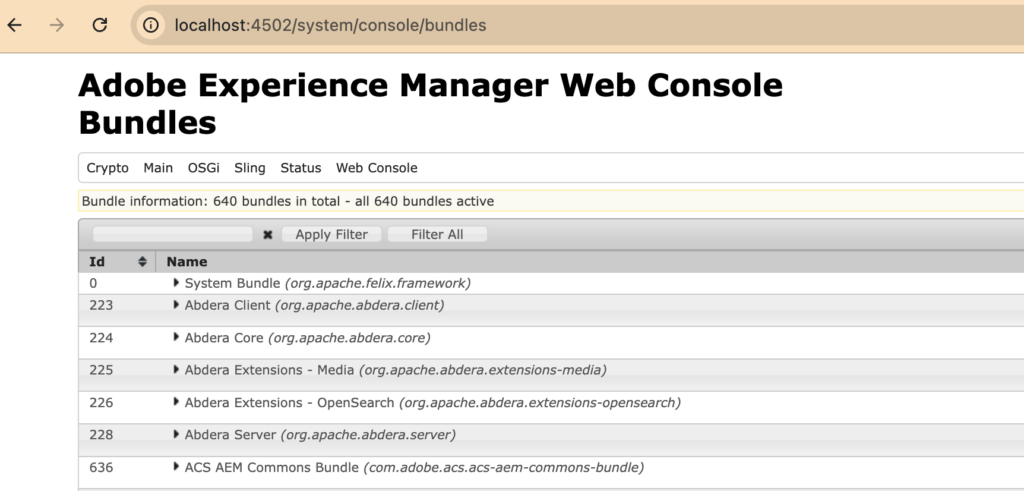
If you don’t see Logback as a standalone bundle in /system/console/bundles, it does not automatically mean:
- Logback is not available in AEM
- Logback must appear as a standalone bundle to be used
Instead, it is still available within the AEM runtime, but not as a separate bundle.
Logback may still be provided through another bundle. In AEM, it is typically embedded and exposed via exported packages rather than appearing on its own.
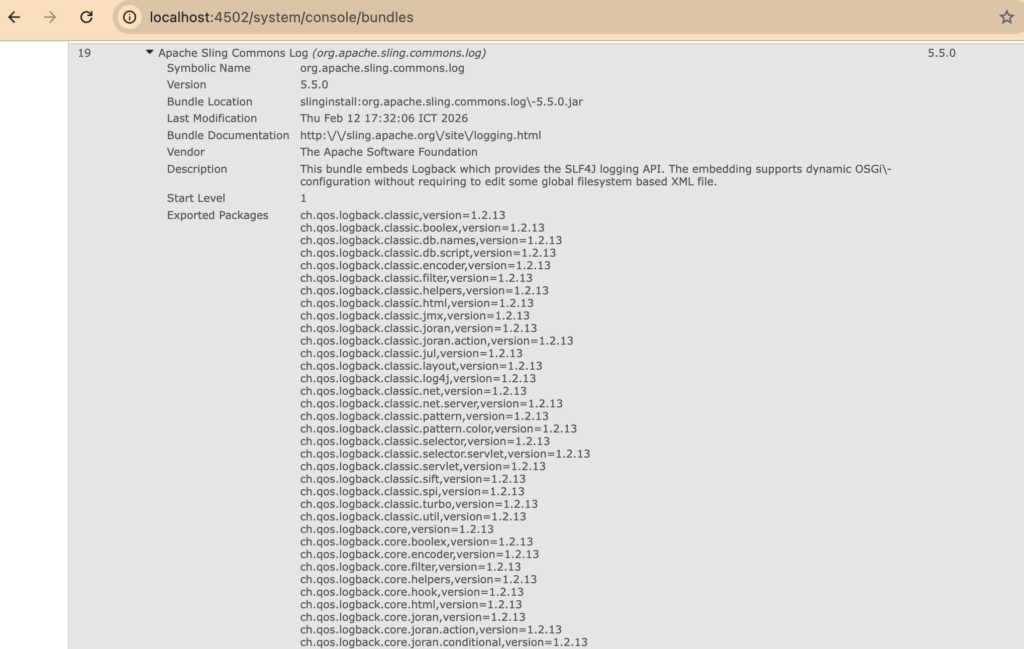
In AEM, Logback is embedded in another bundle (e.g., org.apache.sling.commons.log) and exposed via exported packages, not as a standalone bundle.
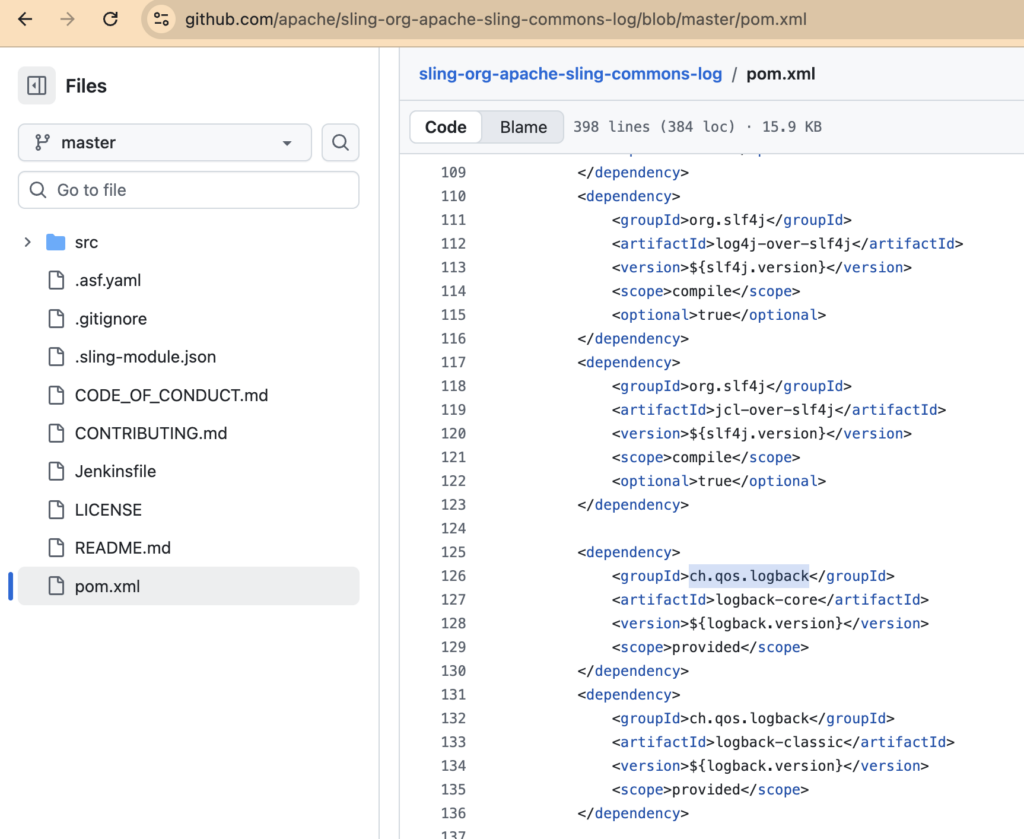
You can verify this in AEM as a Cloud Service using the Developer Console: go to Bundles and download the bundle list (
cm-publish-bundles.json), then inspect the exported packages or bundle contents.
[{"bundleID":0,"bundleName":"System Bundle","symbolicName":"org.apache.felix.framework","status":"active","location":"System Bundle","version":"7.0.5","description":"This bundle is system specific; it implements various system services.","startLevel":0,"fragmentsAttached":["org.apache.sling.feature.apiregions"],"exportedPackages":[{"name":"java.applet","version":"0.0.0.JavaSE_021"},{"name":"java.awt","version":"0.0.0.JavaSE_021"},{"name":"java.awt.color","version":"0.0.0.JavaSE_021"},{"name":"java.awt.datatransfer","version":"0.0.0.JavaSE_021"},{"name":"java.awt.desktop","version":"0.0.0.JavaSE_021"},...org.apache.sling.commons.log provides logging and uses SLF4J as its API.
uses:="org.slf4j,org.slf4j.spi"This bundle embeds Logback as the logging implementation.
This can be verified by inspecting the bundle contents or exported packages, where Logback classes such as ch.qos.logback.classic are available:
org.apache.sling.commons.log
└── ch/qos/logback/...The same bundle also exports Logback-related packages so that other modules can use them:
"exportedPackages": [
  "ch.qos.logback.classic",
  "ch.qos.logback.classic.encoder"
]Logback is provided by the Sling logging bundle and is already available at runtime. It is not intended to be added, replaced, or managed at the project level.
Based on this, you can determine what should be fixed and what should not be changed in your project.
Which Warnings to Fix and Which to Ignore
Deprecated or security warnings reported during local builds or Adobe CI/CD scans map to project dependencies that require version updates.

For example, com.adobe.acs.commons version is defined in the project and available in repository metadata, as shown below.
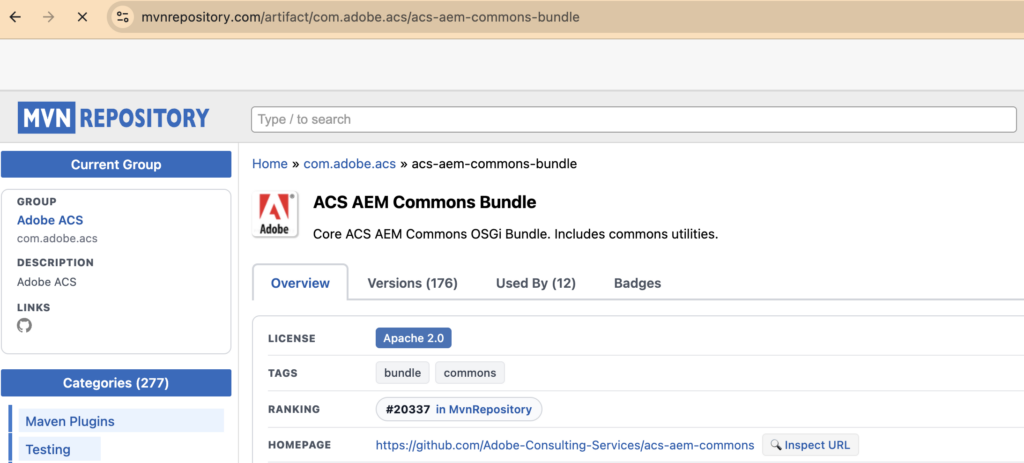
Maven Repository contains all versions; build output shows version used or flagged in the project.
[WARNING] [artifact-rules] adobe.consulting:acs-aem-commons-ui.apps:zip:cp2fm-converted:6.6.2: Use at least version 6.11.0 of ACS AEM Commons
[WARNING] [artifact-rules] adobe.consulting:acs-aem-commons-ui.apps:zip:cp2fm-converted:6.6.2: Use at least version 6.11.0 of ACS AEM CommonsUnsupported dependency versions are replaced with supported versions.
<dependency>
    <groupId>com.adobe.acs</groupId>
    <artifactId>acs-aem-commons-bundle</artifactId>
    <version>6.11.0</version>
    <scope>provided</scope>
</dependency>Bundle is active with the updated version in /system/console/bundles.
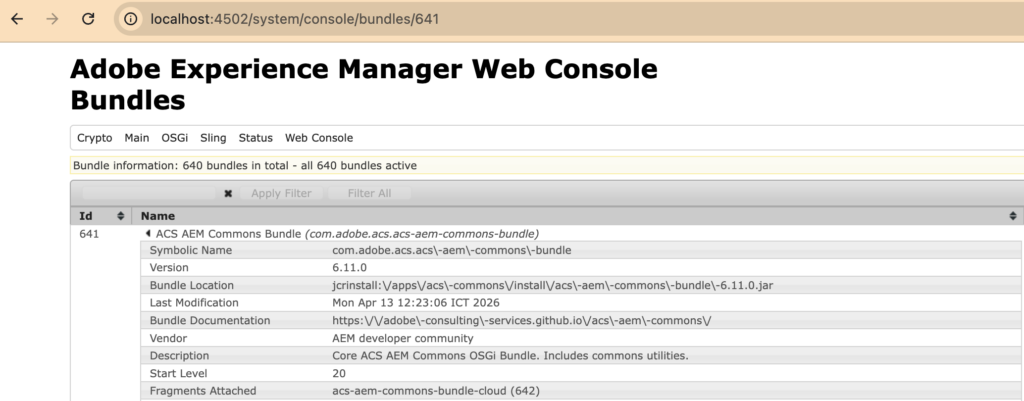
Dependency upgrades affect both version and configuration. Service user mapping is one example across AEM versions:
Service user mapping documentation: https://experienceleague.adobe.com/en/docs/experience-manager-65/content/security/security-service-users
{
  "user.mapping": [
    "flagtick.core:subService=flagtick-service-user"
  ]
}Updated configuration reflects new syntax requirements.
{
  "user.mapping": [
    "flagtick.core:subService=[flagtick-service-user]"
  ]
}Unlike project dependencies, Logback warnings are part of the AEM runtime and are not addressed through dependency updates.
CI/CD scan maps the warning to:
com.adobe.acs:acs-aem-commons-bundle:6.6.2This bundle is defined in the project, so the fix is applied by upgrading it to a supported version.
Logback itself is part of AEM runtime and is not modified.
//<site>.all
<dependency>
    <groupId>com.adobe.acs</groupId>
    <artifactId>acs-aem-commons-all</artifactId>
    <classifier>cloud</classifier>
    <version>6.11.0</version>
    <type>zip</type>
</dependency>The same pattern applies here: the warning traces back to a project dependency, even when it references Logback.
From Detection to Resolution: Deprecation Warnings in AEM
Deprecation warnings appear across multiple stages: AEM SDK, local builds, and CI/CD scanning.
At the SDK level, deprecated APIs are defined in the official javadoc. This serves as the source of truth for what is no longer supported.
At the project level, Maven build output reveals which dependencies in your codebase are using these deprecated APIs:
mvn clean verify | grep -i deprecatedIn CI/CD, Adobe Cloud Manager scans the codebase and reports deprecated usage, including the specific bundle where it occurs.
These stages surface the same issue from different perspectives: the SDK defines deprecation, Maven exposes usage within the project, and CI/CD pinpoints the dependency responsible.
The flow across these stages can be visualized as follows:
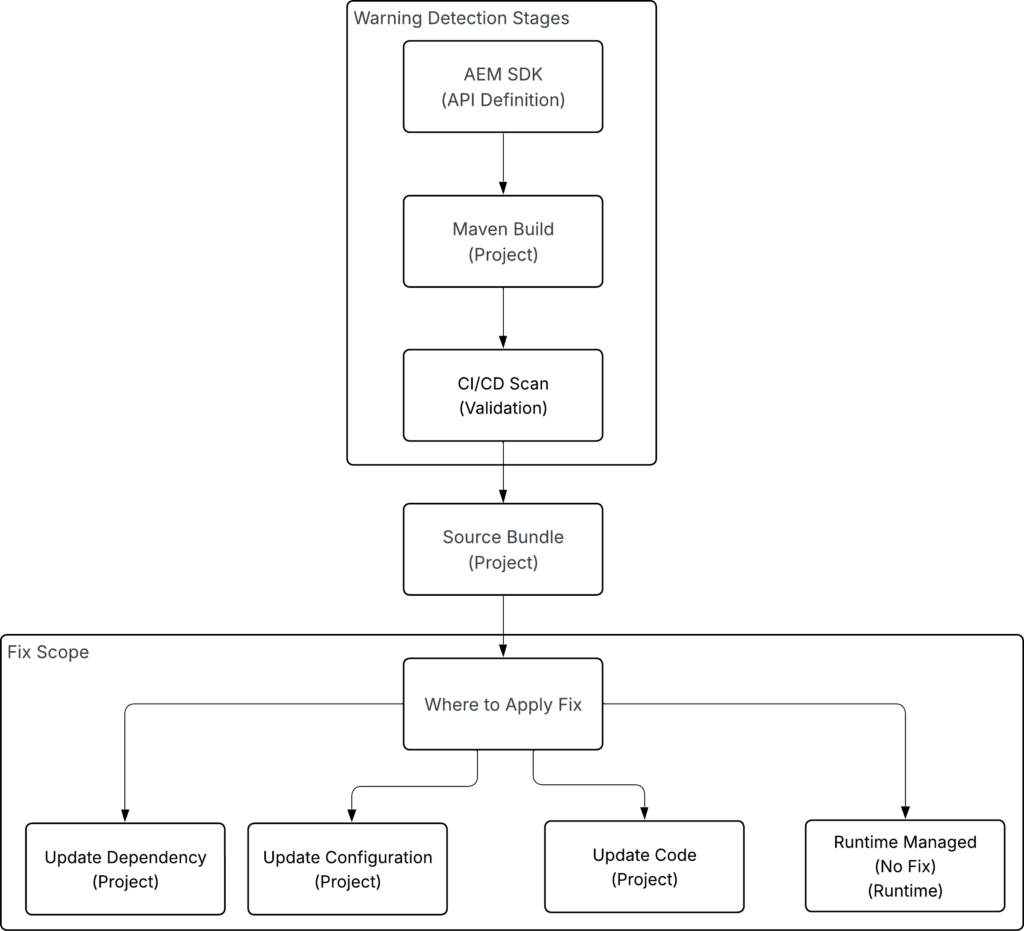
Deprecation warnings may require different types of fixes depending on their source. The resolution is applied within the project scope, while runtime-managed components remain unchanged.
Fixes typically fall into one of the following categories:
- Updating dependencies to supported versions
- Adjusting configurations (e.g., service user mapping)
- Refactoring code to replace deprecated APIs
Deprecation warnings appear across SDK, build, and CI/CD, but not all require the same type of fix.
Trace the warning to its source. Even if runtime components such as Logback appear in reports, the fix is typically applied within the project—through dependency updates, configuration changes, or code refactoring.
Applying fixes at the correct scope ensures compatibility with AEM as a Cloud Service without unnecessary changes.
Key Takeaway
With Adobe enforcing deprecated API checks as release blockers, every warning in CI/CD must be addressed before the deadline.
However, not every warning requires code changes.
The correct approach is:
- Fix issues in your project dependencies
- Upgrade unsupported libraries (e.g., ACS Commons)
- Refactor code if needed
- Do NOT attempt to modify runtime-provided components like Logback
In short:
Fix what you own. Understand what you don’t.
This is how you pass the pipeline — without breaking your system.