Adobe CDN Unknown Domain with Onboarding and Redirects
When migrating a legacy website to Adobe AEM Cloud, domain handling often looks simple:
- Point DNS to Adobe CDN
- Configure SSL
- Add redirect rules
But in reality, things can break in subtle and confusing ways.
In this case, we were:
- Migrating
flagtick.com→flagtickgroup.com - Managing DNS via AWS Route 53
- Using Adobe CDN (Fastly) as the delivery layer
The goal was clear:
Redirect all traffic from the old domain to the new one without losing SEO, indexing, or user flow.
Investigating Domain Traffic During Migration
When modernizing legacy platforms or migrating from old systems to new ones, infrastructure setup is only one part of the work.
This example uses migration between AWS and Adobe.
In this case:
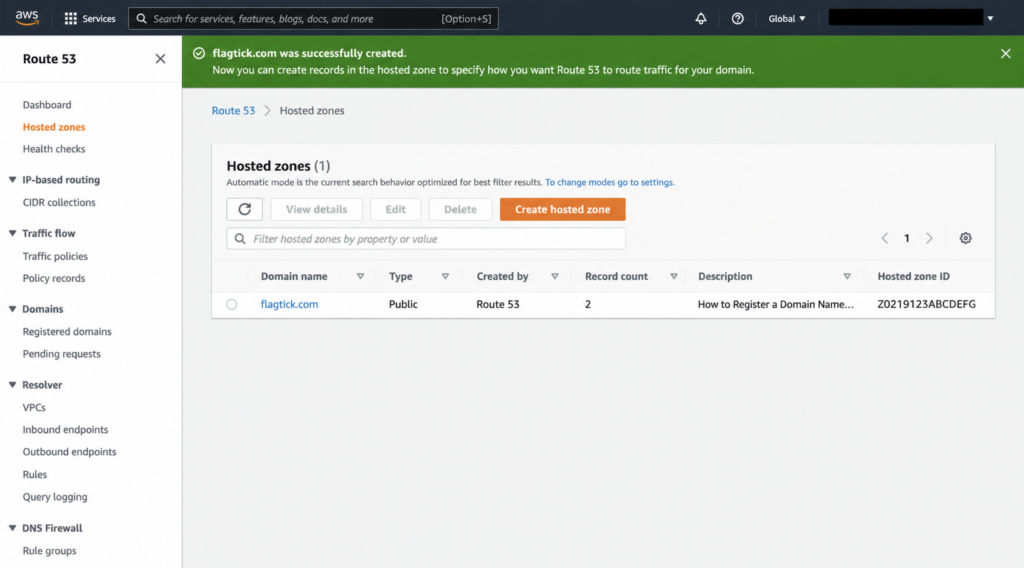
flagtick.comwas the legacy domain, with DNS managed in AWS Route 53flagtickgroup.comwas the new domain onboarded in Adobe
In this example, the existing DNS configuration for the legacy domain remained in AWS Route 53.
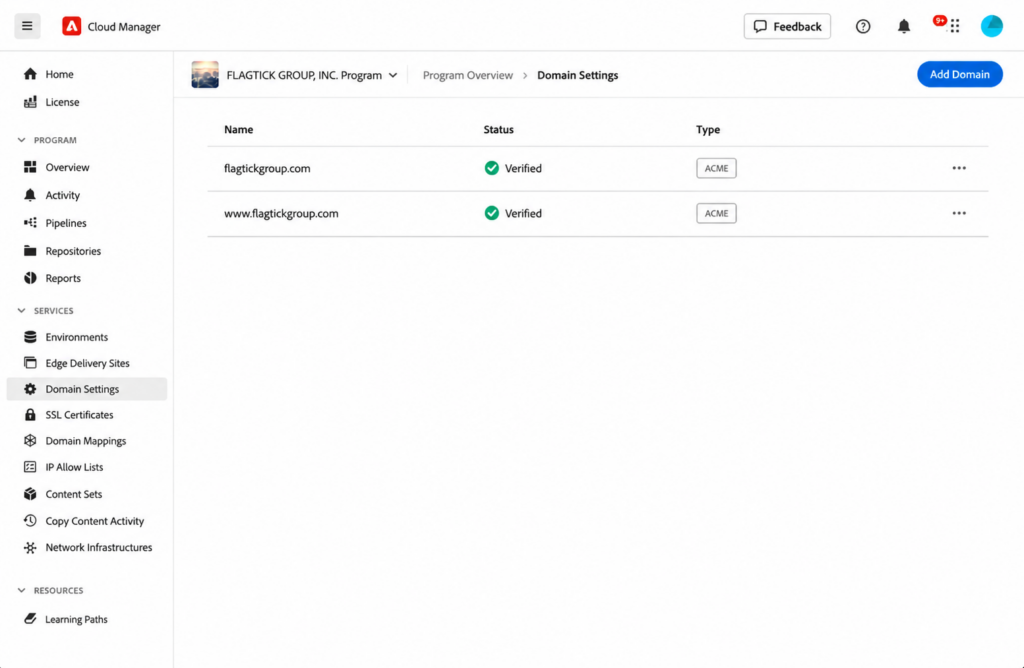
Meanwhile, flagtickgroup.com was already onboarded and verified in Adobe Cloud Manager.
Next, let us check where flagtick.com resolves through DNS.
dig flagtick.com +shortDNS lookup returned IP addresses for flagtick.com.
18.67.221.108
18.67.221.39
18.67.221.82
18.67.221.88Next, let us see who owns those IPs.
https://checkip.com/ip/<your IP address>/Result:
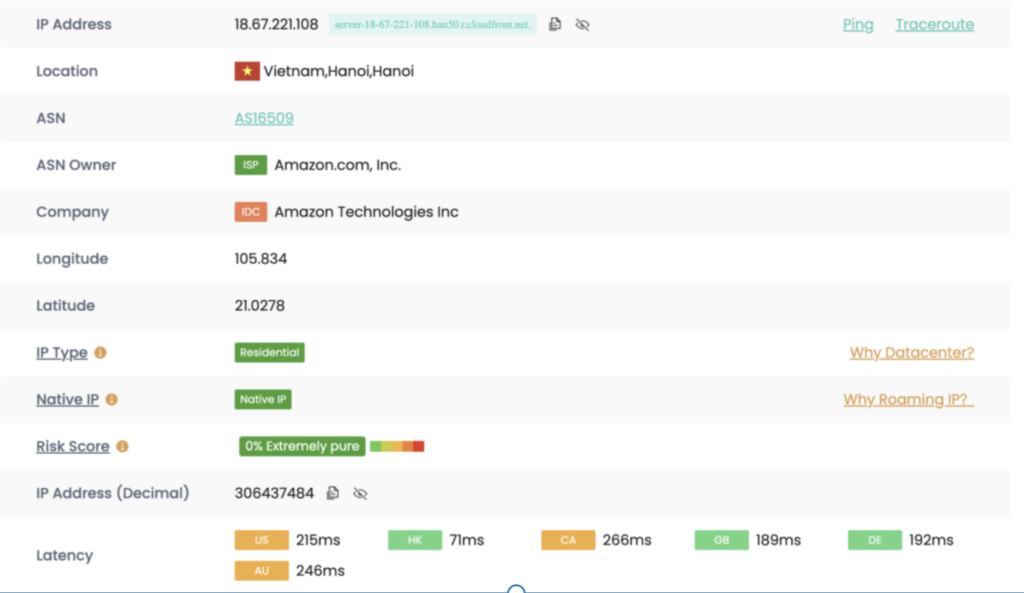
Traffic for flagtick.com was still going to existing AWS infrastructure instead of the new system.
That created gaps in traffic transition, especially around redirects, SSL handling, and domain-level routing.

Redirects, SSL handling, and domain-level configuration would still stay with the existing environment. That could mean depending on the legacy team for changes, with extra effort and additional cost.
Solution: Pointing the Domain to Adobe CDN
Traffic still went to AWS, so Adobe CDN never got involved—the A records were pointing straight to AWS IPs, which is how Route 53 normally routes to infrastructure.
Look at WP Engine: DNS stays in Cloudflare, but traffic is handled by WP Engine—the records look normal, but they route traffic into WP Engine where everything is actually handled.
It’s the same here:
- Route 53 (like Cloudflare) manages DNS
- Adobe CDN (like WP Engine) handles traffic, SSL, and redirects
DNS points traffic — the CDN controls what happens next.

So the fix is not about changing logic in Adobe — it is about making sure traffic actually reaches Adobe CDN.
Once DNS points to Adobe (instead of AWS), everything starts working:
– SSL is applied
– Redirect rules take effect
– Domain behavior is controlled at the CDN layer
There are two layers need to be addressing: Ownership verification and Traffic routing. This is one of an example below:
# Record 1 — traffic routing (you create)
flagtick.com              A      151.101.67.10
                                 151.101.195.10
                                 151.101.3.10
                                 151.101.131.10

# Record 2 — ownership proof (Adobe gives you the value)
_dnsauth.irhythmtech.com CNAME xyz.dns-auth.adobeaemcloud.comYou cannot use CNAME for the root domain on Route 53. You must choose between using a static IP (A record) or using S3 Redirect to redirect traffic to the www subdomain (where CNAME is allowed).
TODO