External Embeds Don’t Fail in AEM — CSP Does
When working with the Embedded Component to include external scripts, you may occasionally run into unexpected loading issues. In many cases, these problems are not caused by the embed itself but by AEM’s built-in security layer, which carefully controls how external resources are loaded and executed.
Below is an example of embedding an external resource using the HTML/Script option inside an Embed component.
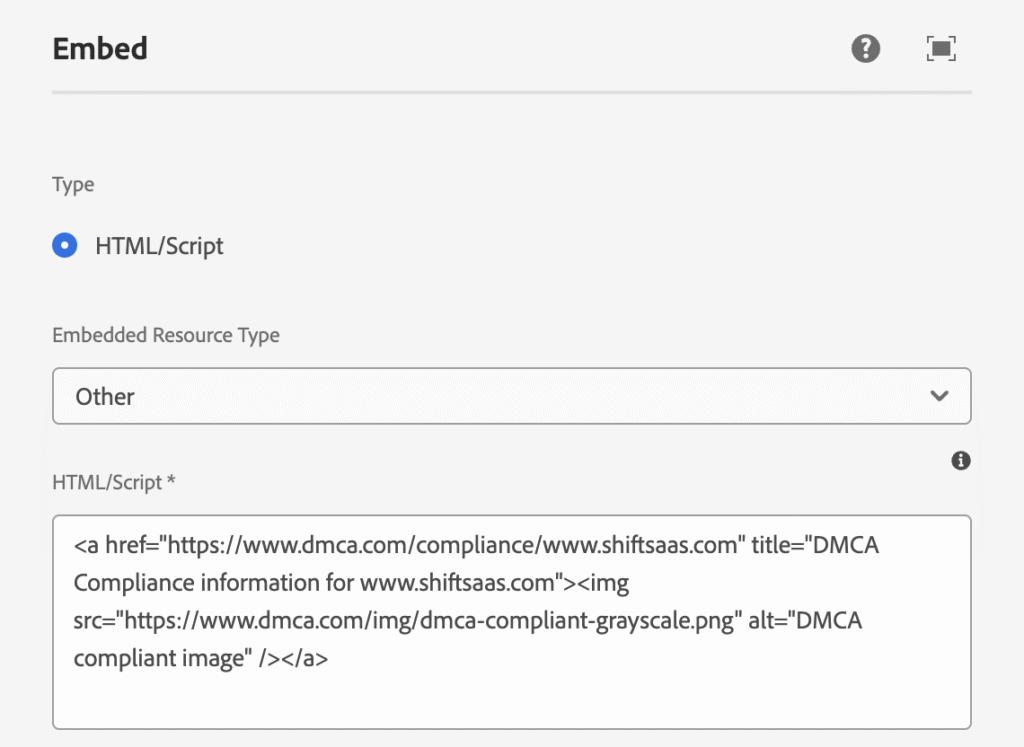
After deploying to a client environment, you might receive reports that the embedded content isn’t displaying correctly.
Everything appears properly configured, yet the external resource fails to render or triggers browser console errors.

This can be confusing—especially when the same embed works in another environment. The real cause often lies beyond the component configuration and within AEM’s Content Security Policy (CSP), which may block external resources for security reasons.
To fix the issue effectively, we first need to understand what happens when an external request is made from AEM as a Cloud Service and which security layers evaluate or block it.
Once we understand that flow, identifying the correct solution becomes much easier.
External Embeds in AEM Don’t Execute in Isolation
Using AEM Embed component may feel like just dropping HTML onto page — but reality differs. Rendered HTML still passes through AEM delivery pipeline and browser security rules, where external resources can be blocked.
Here’s what AEM really renders.
<div data-cmp-data-layer="{"embed-8259ce9454":{"@type":"core/wcm/components/embed/v2/embed","repo:modifyDate":"2026-02-21T11:18:22Z"}}" id="embed-8259ce9454" class="cmp-embed cmp-embed--other">
    <a href="https://www.dmca.com/compliance/www.shiftsaas.com" title="DMCA Compliance information for www.shiftsaas.com"><img src="https://www.dmca.com/img/dmca-compliant-grayscale.png" alt="DMCA compliant image"></a>
</div>From rendered output, Embed component simply generates HTML via core component.
core/wcm/components/embed/v2/embedOnce rendered, browser takes over and enforces all security rules before loading external resources. Failures usually come from surrounding security or delivery layers — not component itself.
From here, multiple layers can impact embed.
- Browser security policies
- CSP (Content Security Policy)
- Dispatcher response headers
- Environment-specific configuration
Embed fails? Tweaking HTML again and again won’t help. Real fix starts by finding which layer blocks it — once identified, solving becomes straightforward.
CSP in AEMaaCS Exists Across Multiple Layers
Before changing any configuration, understand where CSP actually comes from. In AEMaaCS, CSP isn’t controlled in single place — assuming so often leads to fixes that never work.
CSP can be applied across multiple layers:
- OSGi configuration (Adobe Granite CSP)
- Page
<head>meta tag - Dispatcher headers
- CDN or edge layer
Since several layers can inject CSP, identifying which one enforces policy is real starting point.
When external resource gets blocked, browser usually shows it immediately in DevTools. Even with correct embed code, request can still fail due to CSP restrictions.
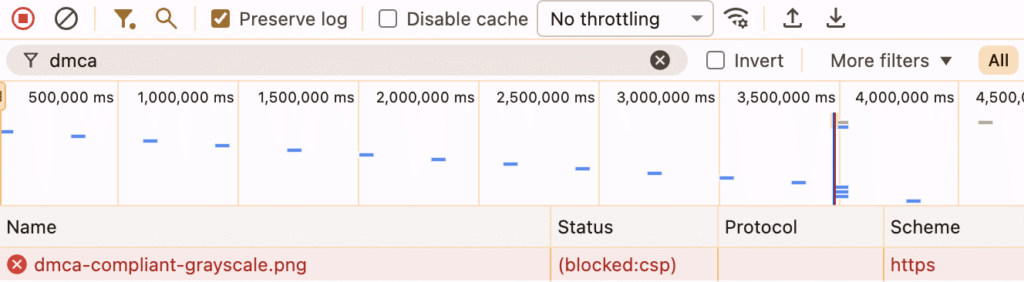
URL valid. Request still blocked — CSP likely stopped it before reaching page. If Dispatcher or CDN sends CSP first, AEM-level fixes won’t matter.
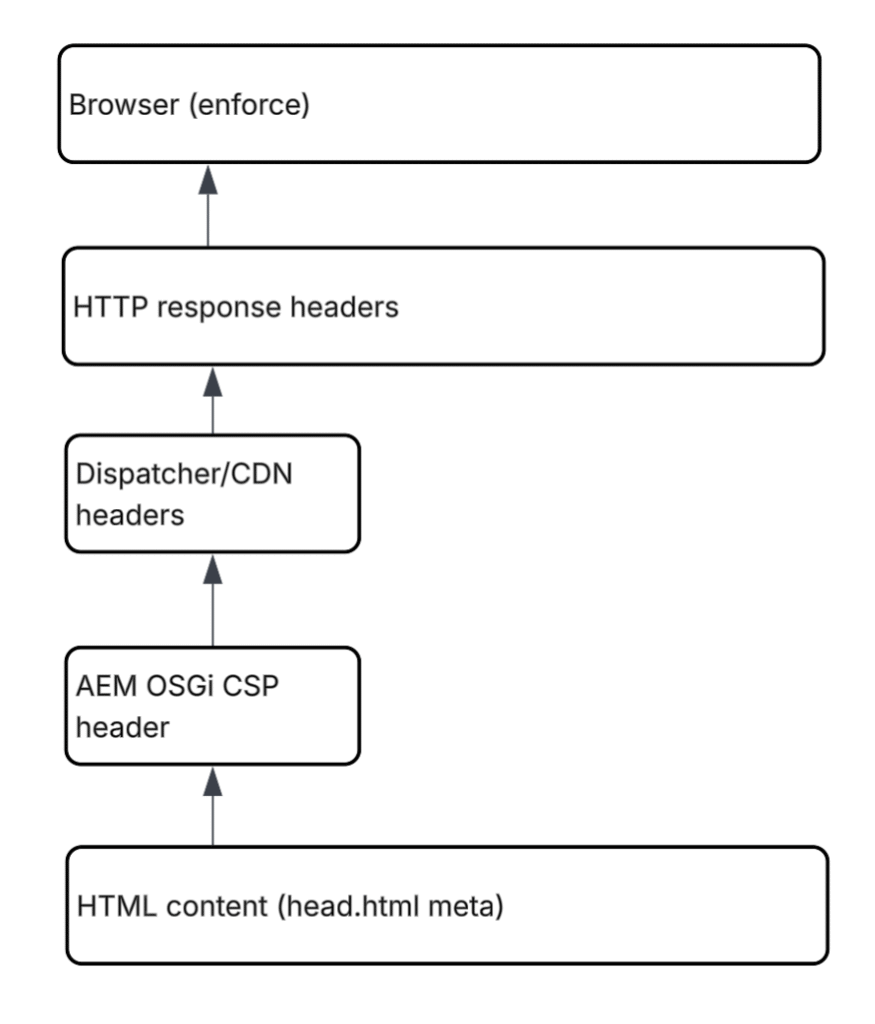
Most developers start by fixing CSP inside AEM, typically via head.html.
<meta http-equiv="Content-Security-Policy" content="img-src 'self' https://www.dmca.com 'unsafe-inline'">Or adjusting server-side CSP via OSGi:
apps/<site>/osgiconfig/config/
com.adobe.granite.csp.impl.CSPConfigImpl.cfg.jsonBoth approaches can be correct — but if Dispatcher already returns a stricter CSP header, these changes won’t have any effect at runtime.
This layered enforcement explains several confusing scenarios:
- External embed works on Author
- Same embed fails on Publish
- Pipelines deploy successfully
- No build errors appear
Nothing fails during deployment because CSP isn’t validated at build time. It’s enforced dynamically by the browser based on response headers.