Onboarding Legacy Domains to Adobe CDN — Ownership, SSL, and Redirect Rules
Migrating a legacy domain to Adobe CDN looks simple on paper — point DNS, add SSL, done. In practice, each step has its own way of breaking.
Here is what this article covers:
- AWS Route 53 for DNS management
- Adobe CDN (Fastly) as the delivery layer
- Cloud Manager for domain, SSL, and pipeline setup
cdn.ymlfor redirect rules and traffic routing
Full walkthrough — every command, error, and fix from flagtick.com to flagtickgroup.com.
Investigating Domain Traffic During Migration
When modernizing legacy platforms or migrating from old systems to new ones, infrastructure setup is only one part of the work.
This example uses migration between AWS and Adobe.
In this case:
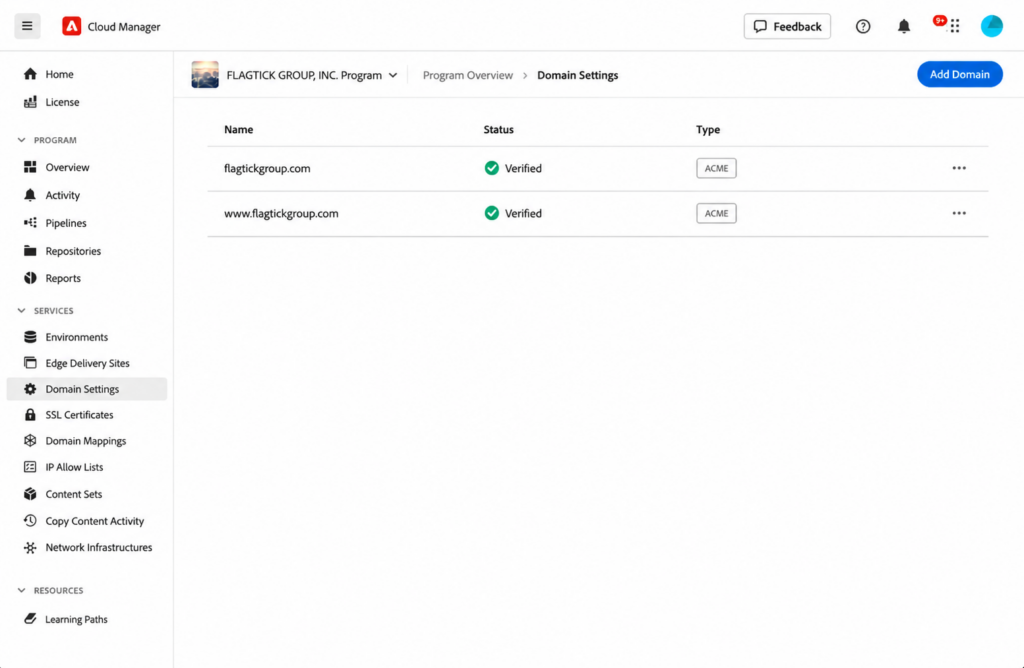
flagtick.comwas the legacy domain, with DNS managed in AWS Route 53flagtickgroup.comwas the new domain onboarded in Adobe
In this example, the existing DNS configuration for the legacy domain remained in AWS Route 53.
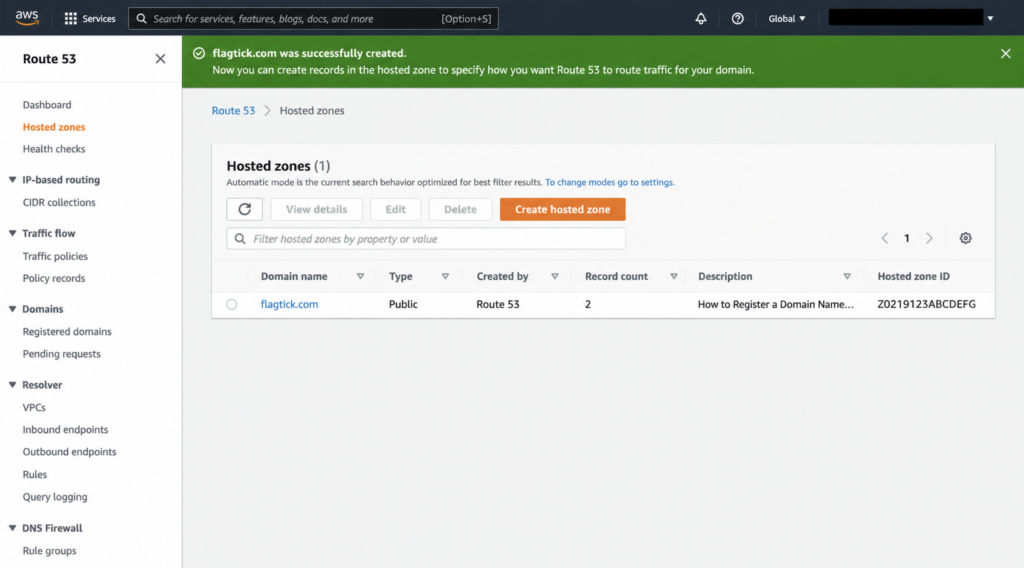
Meanwhile, flagtickgroup.com was already onboarded and verified in Adobe Cloud Manager.
Next, let us check where flagtick.com resolves through DNS.
dig flagtick.com +shortDNS lookup returned IP addresses for flagtick.com.
18.67.221.108
18.67.221.39
18.67.221.82
18.67.221.88Next, let us see who owns those IPs.
https://checkip.com/ip/<your IP address>/Result:
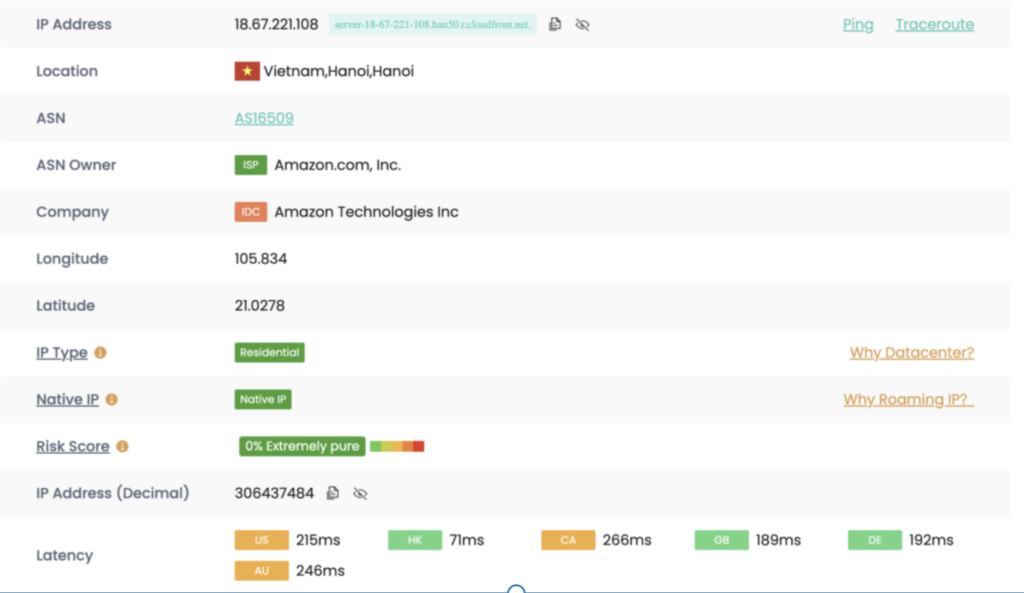
Traffic for flagtick.com was still going to existing AWS infrastructure instead of the new system.
That created gaps in traffic transition, especially around redirects, SSL handling, and domain-level routing.

Redirects, SSL handling, and domain-level configuration would still stay with the existing environment.
That could mean depending on the legacy team for changes, with extra effort and additional cost.
Onboarding the Legacy Domain to Adobe CDN
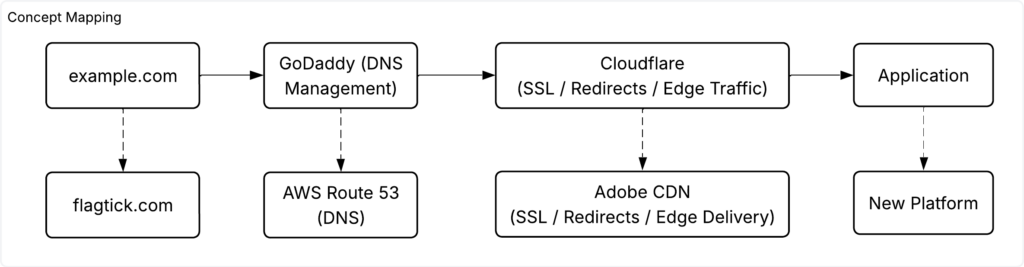
For example, a domain can be registered in GoDaddy while traffic management is handled in Cloudflare, where redirects, SSL, and domain behavior are configured.
AWS Route 53 and Adobe CDN follow the same concept.
Because flagtickgroup.com was already configured in Adobe CDN, its DNS records can be inspected using dig.
For traffic routing, A, CNAME, or ALIAS records may be used depending on the domain type and DNS provider.
For example:
dig flagtick.com +short
151.101.195.10
151.101.67.10
151.101.131.10
151.101.3.10These IPs come from Fastly’s anycast network. Here is how Route 53 resolves them:
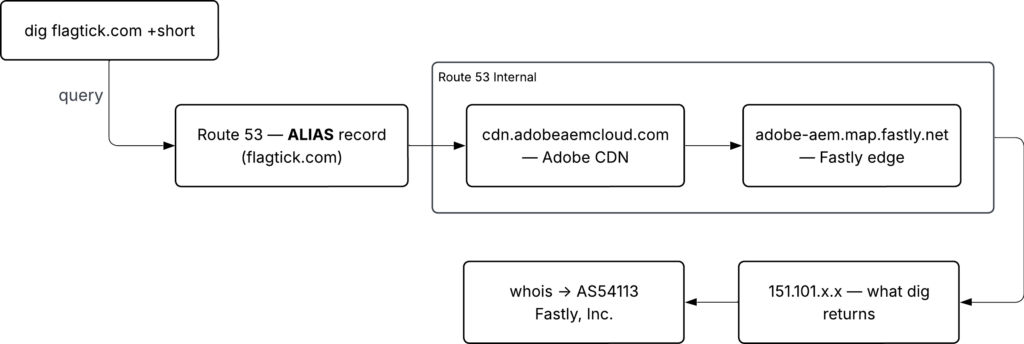
We can verify the Fastly edge is active by inspecting HTTP headers with curl -I:
curl -I flagtick.com
HTTP/1.1 301 Moved Permanently
Connection: close
Content-Length: 0
Retry-After: 0
location: https://www.flagtick.com
Accept-Ranges: bytes
Date: Sun, 17 May 2026 05:21:21 GMT
Strict-Transport-Security: max-age=31557600
X-Served-By: cache-lcy-eglc8600024-LCY
X-Cache: HIT
X-Timer: S1778995282.653674,VS0,VE1With DNS routing confirmed, the next step is verifying domain ownership in Adobe Cloud Manager.
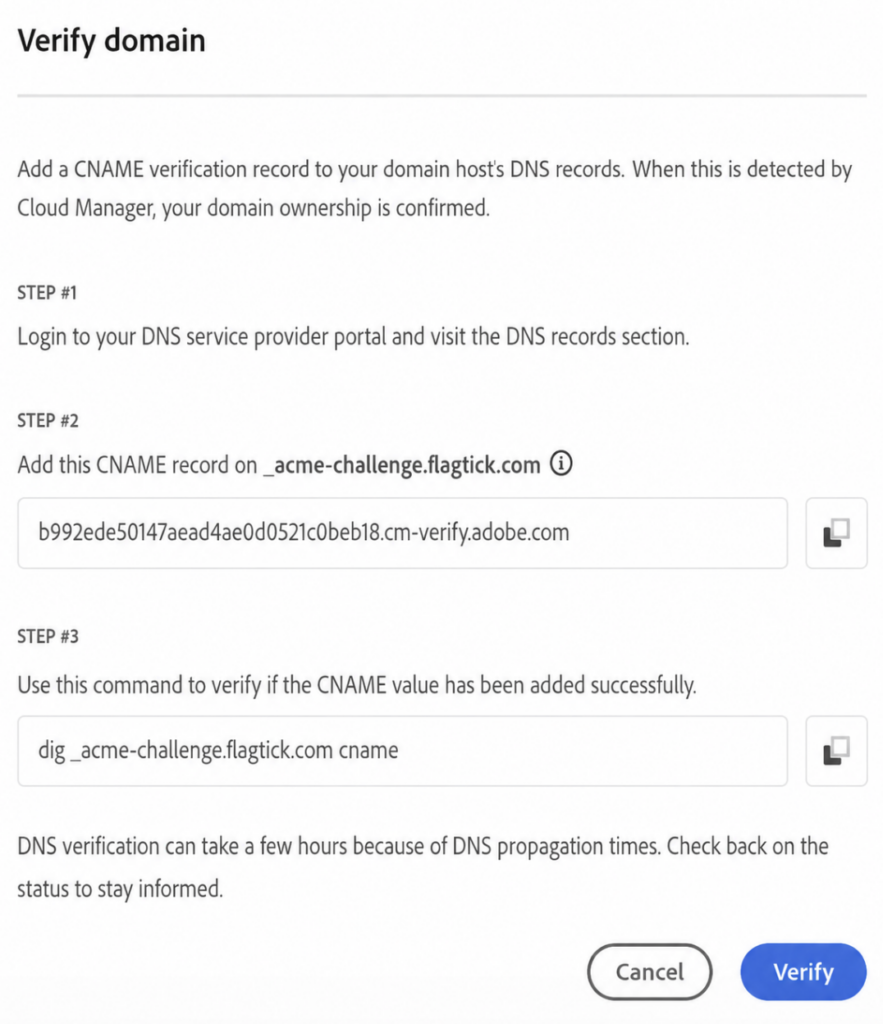
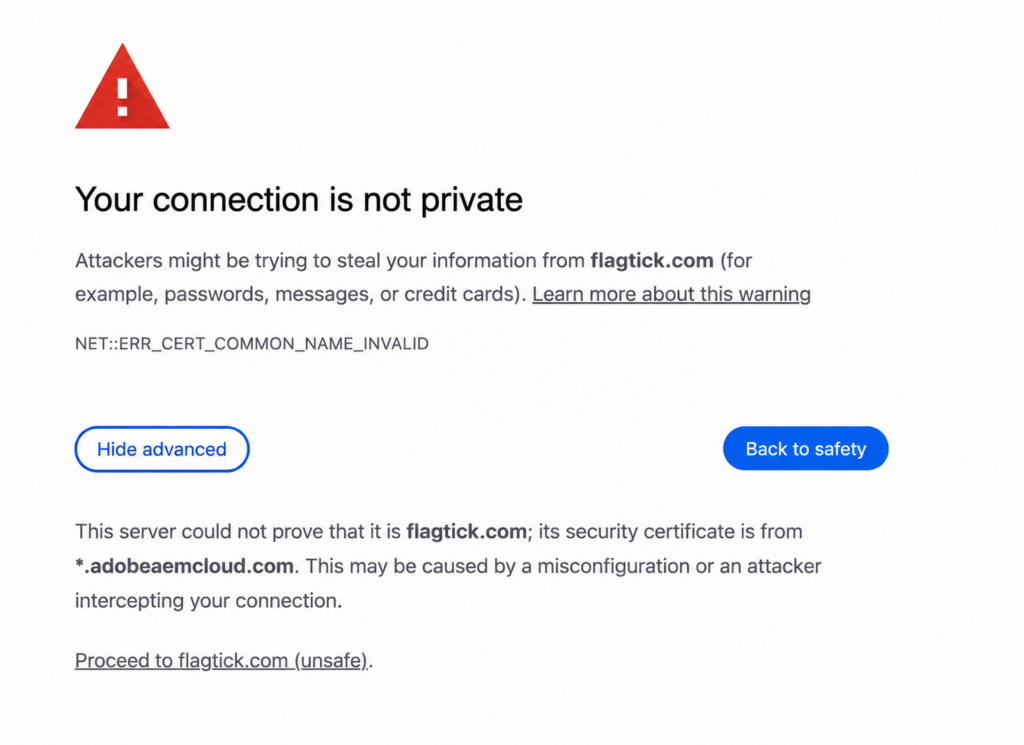
Once ownership is confirmed, accessing the domain will show an SSL error — this is expected.
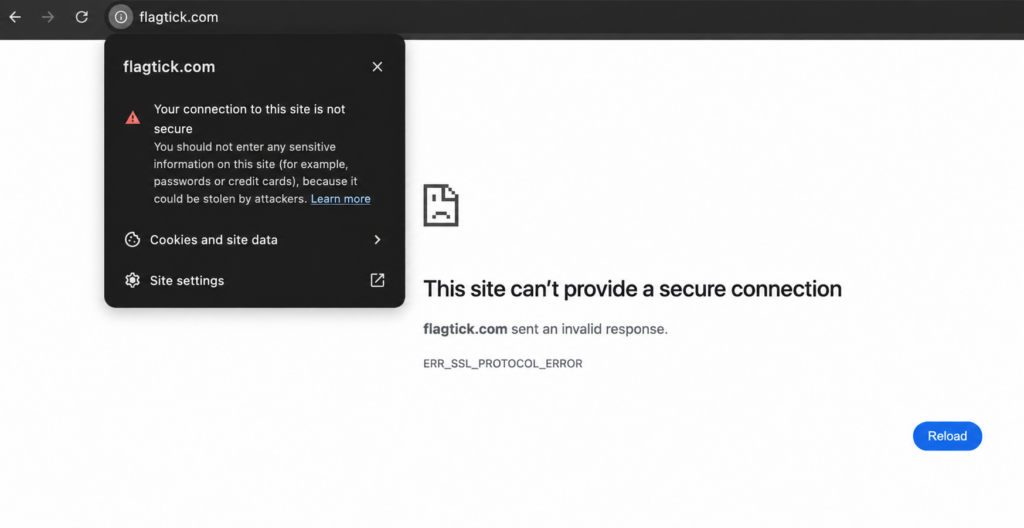
This error resolves once SSL is provisioned. Adobe supports Let’s Encrypt certificates, covering both flagtick.com and www.flagtick.com — no commercial SSL purchase required.
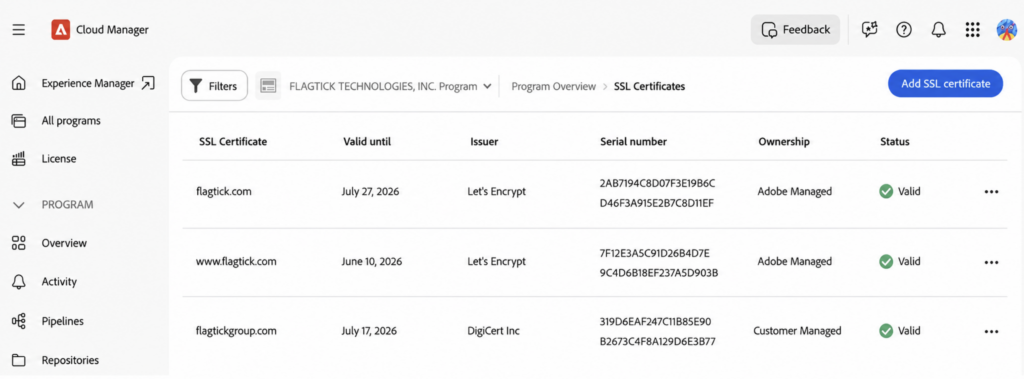
SSL certificates are valid for both domains. The domain mapping step is still missing — Fastly does not know which AEM environment to route flagtick.com to.
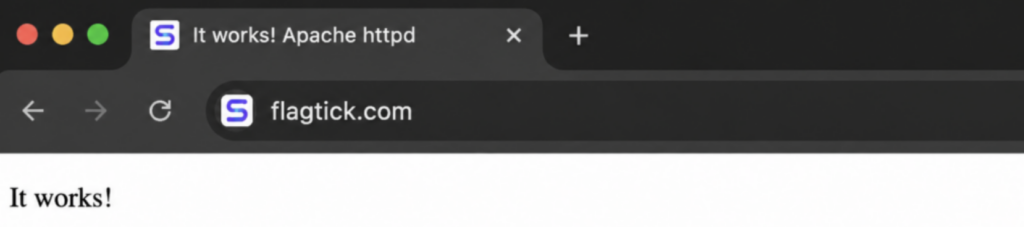
Next, add domain mapping in Cloud Manager for both flagtick.com and www.flagtick.com. This tells Fastly which AEM environment to serve. The domain now responds correctly — as shown below.
DNS routing and domain ownership are complete for flagtick.com and www.flagtick.com. Next — configuring CDN rules via config/cdn.yaml.
CDN Rules and Redirects via Adobe CDN Configuration
With DNS routing and domain ownership complete, Adobe CDN can now handle traffic behavior directly — including redirects, URL rewrites, and routing rules configured via cdn.yaml.
For example, the rule below redirects all traffic from flagtick.com to www.flagtick.com — ensuring users always land on the canonical domain:
- name: conf-www-redirect
  when: { reqProperty: domain, equals: "flagtick.com" }
  action:
    type: redirect
    location:
      reqProperty: url
      transform:
        - op: replace
          match: '^/(.*)$'
replacement: 'https://www.flagtick.com/\1'Verify it works by running:
curl -Is https://flagtick.com | grep -E "HTTP|location"With the redirect verified, the same cdn.yaml pattern can route both flagtick.com and www.flagtick.com to https://www.flagtickgroup.com:
- name: conf-redirect-flagtick-to-new
  when:
    reqProperty: domain
    in: ["flagtick.com", "www.flagtick.com"]
  action:
    type: redirect
location: "https://www.flagtickgroup.com"Just be aware — hardcoding a region in cdn.yml sends everyone to the same page. For root domain redirects, handle geo-based routing at the AEM Dispatcher instead.
For example, this rule hardcodes /us/en for all users:
- name: conf-root-redirect
  when:
    allOf:
      - reqProperty: tier
        in: ["publish","preview"]
      - reqProperty: domain
        matches: ".*(flagtickgroup|adobeaemcloud).(com|net)"
      - reqProperty: path
        like: "/"
  action:
    type: redirect
location: /us/enIf only the domain changes while keeping the same path structure, the redirect can reuse the existing request path.
Example: flagtick.com.sg/about-us → www.flagtickgroup.com/about-us
- name: flagtick-sg-to-flagtickgroup-redirect
  when:
    reqProperty: domain
    equals: "flagtick.com.sg"
  action:
    type: redirect
    location:
      reqProperty: url
      transform:
        - op: replace
          match: '^/(.*)$'
replacement: 'https://www.flagtickgroup.com/\1'This works when the path structure stays the same. If the legacy and revamp systems use different URL structures, this approach breaks down.
Keep the www redirect in cdn.yml — this ensures all traffic arrives at Dispatcher as flagtick.com.sg, whether the user typed www or not.
The vhost then centralizes both domains under one configuration to handle path-level rewrites.
- name: conf-non-www-redirect
  when: { reqProperty: domain, equals: "www.flagtick.com.sg" }
  action:
    type: redirect
    location:
      reqProperty: url
      transform:
        - op: replace
          match: '^/(.*)$'
replacement: 'https://flagtick.com.sg/\1'With Dispatcher handling the domain, the vhost can now process legacy URL rewrites for flagtick.com.sg:
// flagtick_sg.vhost

<VirtualHost *:80>
	ServerName "flagtick.com.sg"
	ServerAlias *.flagtick.com.sg
	DocumentRoot "${DOCROOT}"
....Dispatcher rewrite rules handle path-level redirects — mapping legacy URLs to new revamp structure:
// legacy_rewrite_sg.rules

RewriteCond %{REQUEST_URI} !/$
RewriteRule ^/(.*)$ /$1/ [R=301,L]

# Handle the landing page - PROD redirect moved to CDN config
RewriteRule ^/$ https://${CONF_COM_HOST}/sg/en [R=301,NC,L]

# home redirect - PROD redirect moved to CDN config
RewriteRule ^/home/$ https://${CONF_COM_HOST}/sg/en [R=301,NC,L]This approach adds latency — every redirect passes through Dispatcher before returning to the browser.
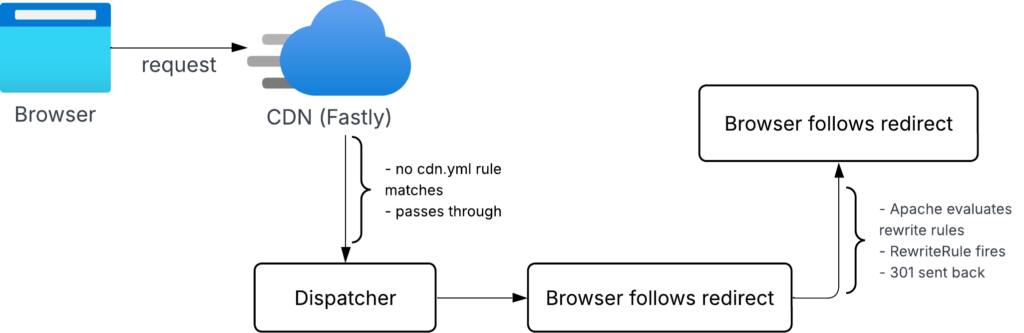
For lower latency and less Dispatcher load, move root redirects back to cdn.yml:
- name: conf-sg-root-or-sg-home-redirect
  when:
    allOf:
      - reqProperty: tier
        in: ["publish","preview"]
      - reqProperty: domain
        in: ["flagtick.com.sg","www.flagtick.com.sg"]
      - reqProperty: path
        matches: "^/(home/?)?$"
  action:
    type: redirect
location: 'https://www.flagtickgroup.com/sg/en'This duplicates the redirect logic — but keeps it at the edge, away from Dispatcher entirely.
Config Pipeline — Deploy, Troubleshoot, and Validate CDN Rules
cdn.yaml is deployed via Cloud Manager Pipeline. There are three pipeline types available:
- Full-stack
- Front-end
- Configuration
Select Targeted Deployment → Config to deploy only cdn.yaml changes. Set Code Location to /config where cdn.yaml lives.
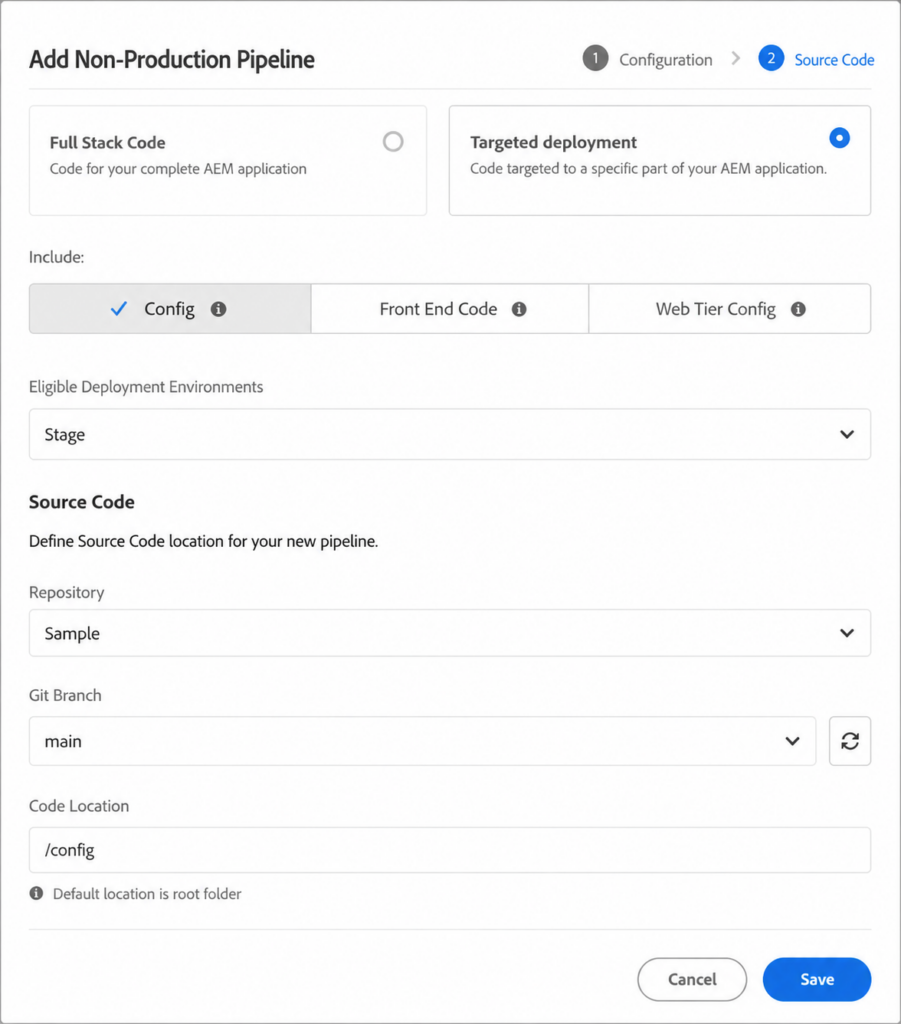
Worth knowing before triggering a build — recent Adobe pipeline changes can cause unexpected failures:
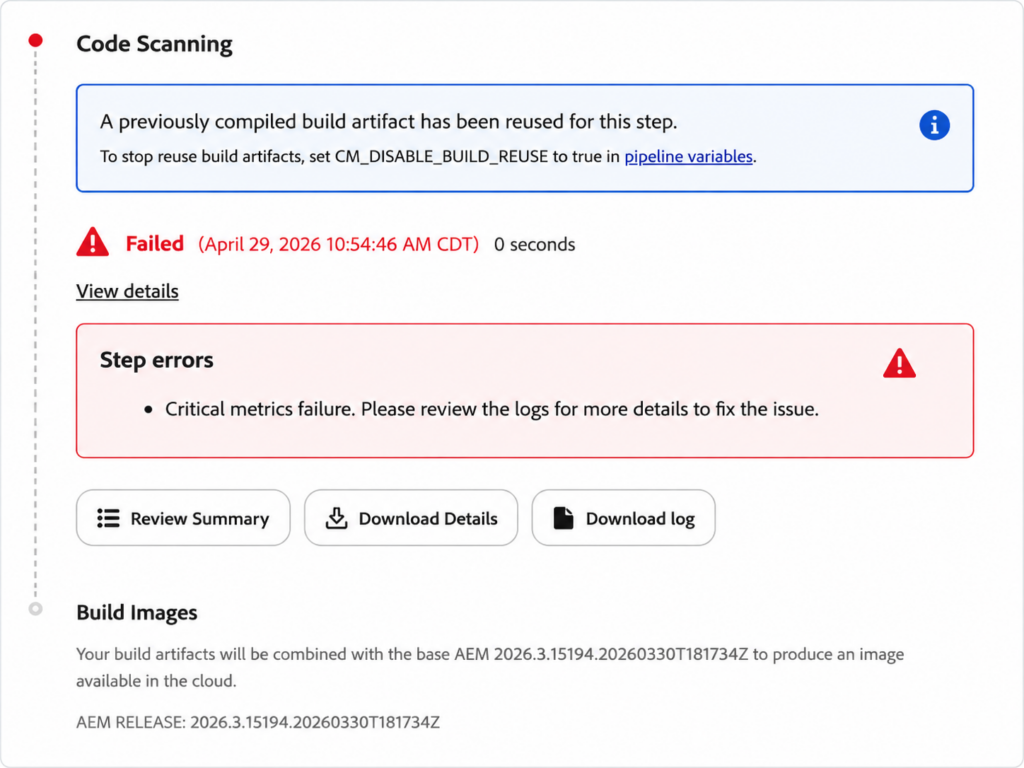
Fix this by adding CM_DISABLE_BUILD_REUSE=true as a Pipeline variable before re-running.
Validate redirects are working using httpstatus.io — check status codes and final destinations for each domain:

For geo-based validation, geopeeker.com renders the domain from multiple regions simultaneously — confirming Fastly edge nodes are serving correctly:
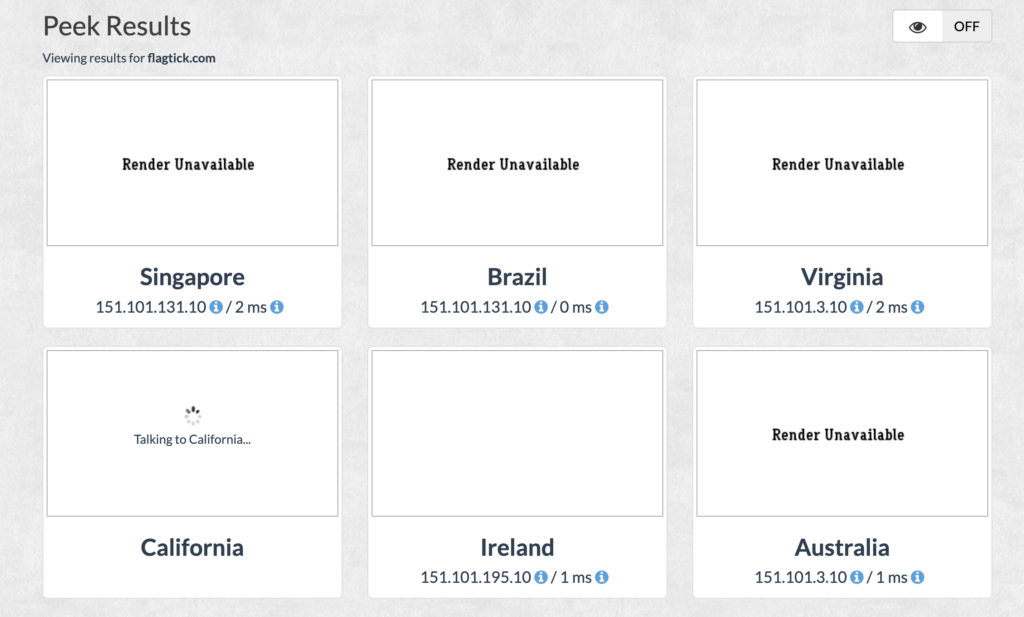
From Route 53 ALIAS to cdn.yaml rules — flagtick.com is now fully routed through Adobe CDN and serving correctly from Fastly edge nodes worldwide.
Key Takeaway
Onboarding a parked domain into Adobe CDN hands full control to Adobe — SSL, routing, redirects,
and edge delivery all managed in one place.
From there, two layers work together to handle whatever traffic logic the business needs:
cdn.yamlat the edge — domain-level redirects, www to non-www, cross-domain routing, and path preservation without touching the origin- AEM Dispatcher at the origin — path-level rewrites, legacy URL mapping, geo-based routing, and complex redirect logic that cdn.yml cannot handle alone
Together, they give full control over how legacy traffic is shaped, redirected, and delivered — from the edge all the way to the application layer.